95 Days to CCIE SEC v6.1 Lab
We are going to use below topology for the Lab Practice :
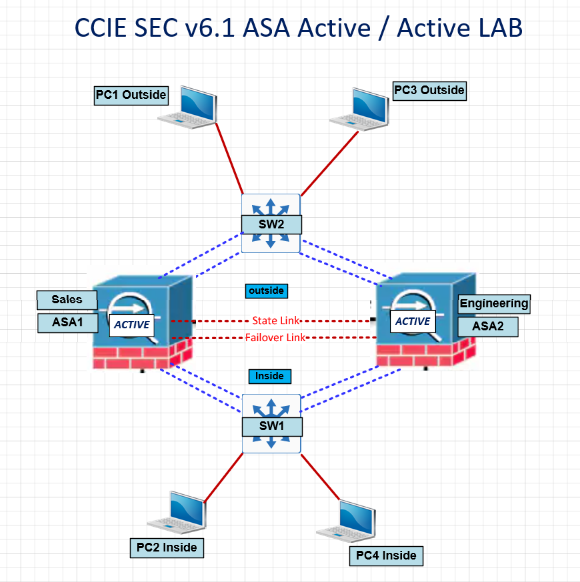
ASA1 and ASA2 act as Active/Active, ASA1 active for C1 Context and ASA2 Active for C2 Context.
C1 we configure as Sales Department.
C2 we configure as Engineer Department.
We need to enable mode to Multiple – By default ASA is in Single mode context

When we enable mode multiple ASA will reboot automatically.
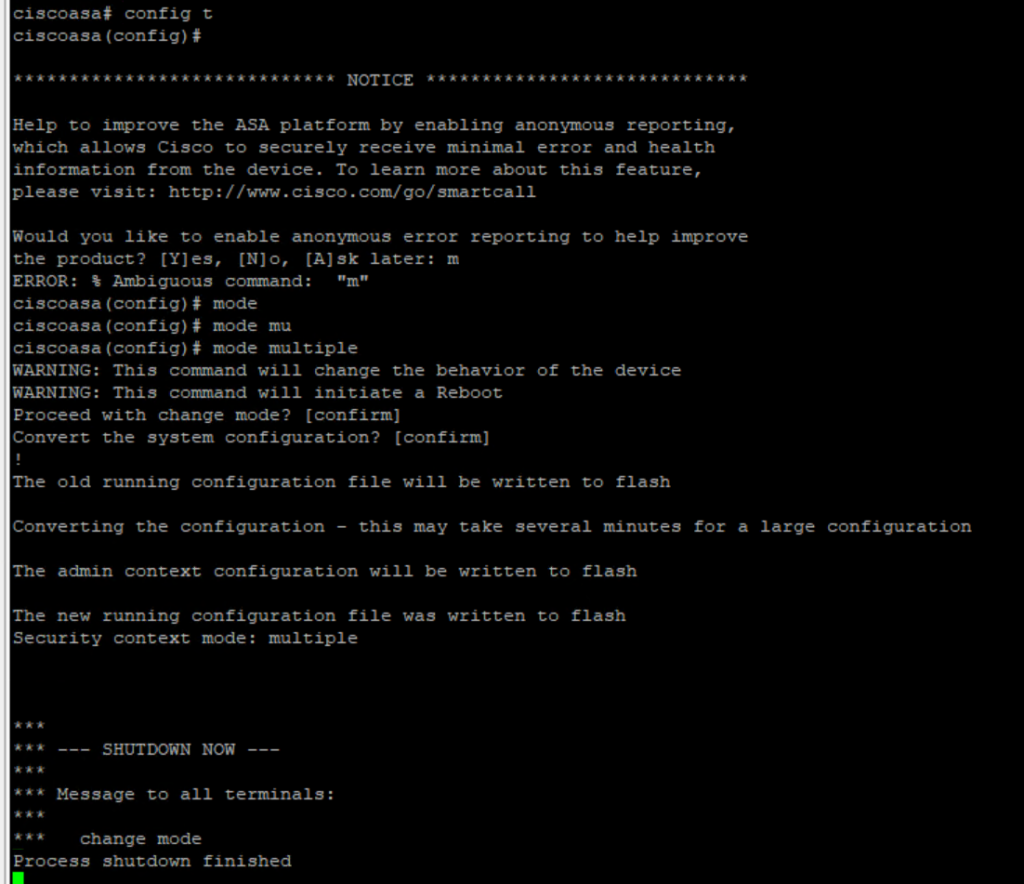
Once ASA reboot we can check the mode to confirm its multiple.
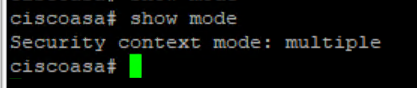
We need to do same step on other ASA to become multi mode so we can configure Active / Active Mode.
In the LAB image we have 7 interface, instead of Gig i have ethernet interface for simulation.
On the Switch :
we have below VLAN
SW1:
VLAN 2 – FOR Context 1 (Sales) Inside
VLAN 3 – FOR Context 2 (Engineering) Inside
VLAN 4 – FOR MGMT (Managment)
SW2:
VLAN 5 – FOR Context 1 (Sales) Outside
VLAN 6 – FOR Context 2 (Engineering) Outside
Configuring ASA1 :
failover group 1
primary
preempt
failover group 2
secondary
preempt
admin-context admin
context admin
config-url disk0:/admin.cfg
allocate-interface Ethernet0 management
!
changeto context admin
!
interface management
nameif mgmt
security-level 100
ip address 172.16.10.1 255.255.255.0 standby 172.16.10.2
no shu
!
changeto system
!
context sales
config-url disk0:/sales.cfg
join-failover-group 1
allocate-interface Ethernet1 inside_sales
allocate-interface Ethernet4 outside_sales
!
changeto context sales
!
interface inside_sales
nameif inside
ip address 192.168.10.1 255.255.255.0 standby 192.168.10.2
no shu
!
interface outside_sales
nameif outside
ip address 10.10.10.1 255.255.255.0 standby 10.10.10.2
no shu
!
!
!
moni in
moni out
!
changeto system
!
context engineering
config-url disk0:/engineering.cfg
join-failover-group 2
allocate-interface Ethernet2 inside_engineering
allocate-interface Ethernet3 outside_engineering
!
changeto context engineering
!
interface inside_engineering
nameif inside
ip address 192.168.20.1 255.255.255.0 standby 192.168.20.2
no shu
!
interface outside_engineering
nameif outside
ip address 10.10.20.1 255.255.255.0 standby 10.10.20.2
no shu
!
!
!
moni in
moni out
!
changeto context system
wr mem all
!
failover lan unit primary
failover lan interface LAN Ether5
failover link STATE Eth6
failover interface ip LAN 10.10.30.1 255.255.255.0 standby 10.10.30.2
failover interface ip STATE 10.10.40.1 255.255.255.0 standby 10.10.40.2
!
failover
!
Now we configure ASA2 – only LAN and State interface, so the configuration we applied on ASA 1 will be replicated automatically to ASA2.
Config t
!
interface eth0
no shutdown
interface eth1
no shutdown
interface eth2
no shutdown
interface eth3
no shutdown
interface eth4
no shutdown
interface eth5
no shutdown
interface eth6
no shutdown
!
!
failover lan unit secondary
failover lan interface LAN Ether5
failover link STATE Eth6
failover interface ip LAN 10.10.30.1 255.255.255.0 standby 10.10.30.2
failover interface ip STATE 10.10.40.1 255.255.255.0 standby 10.10.40.2
!
failover
As soon as we enable failover, we can see all the configuration replicated as below :
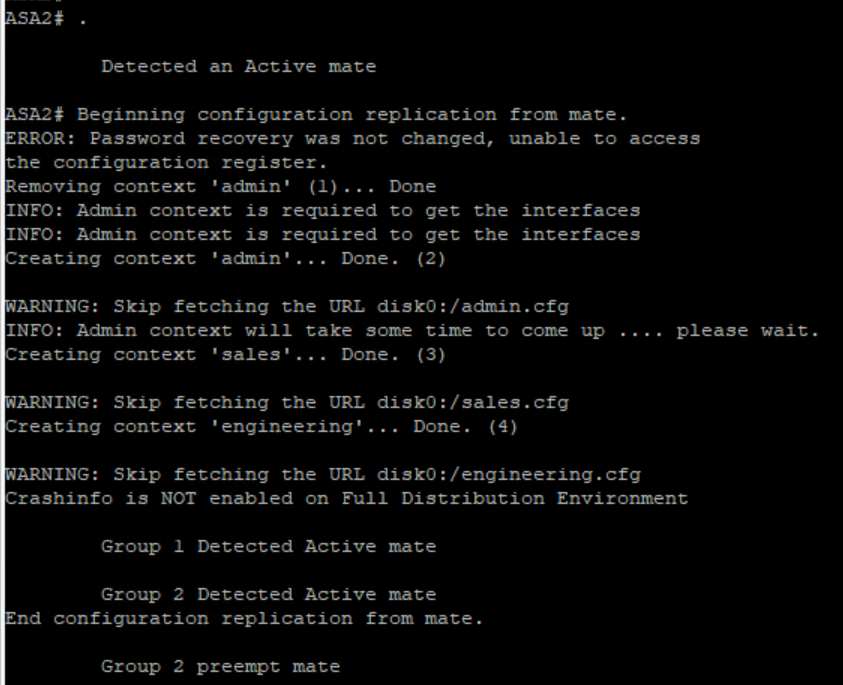
ASA1 Group 1 Active and ASA2 is Standby :
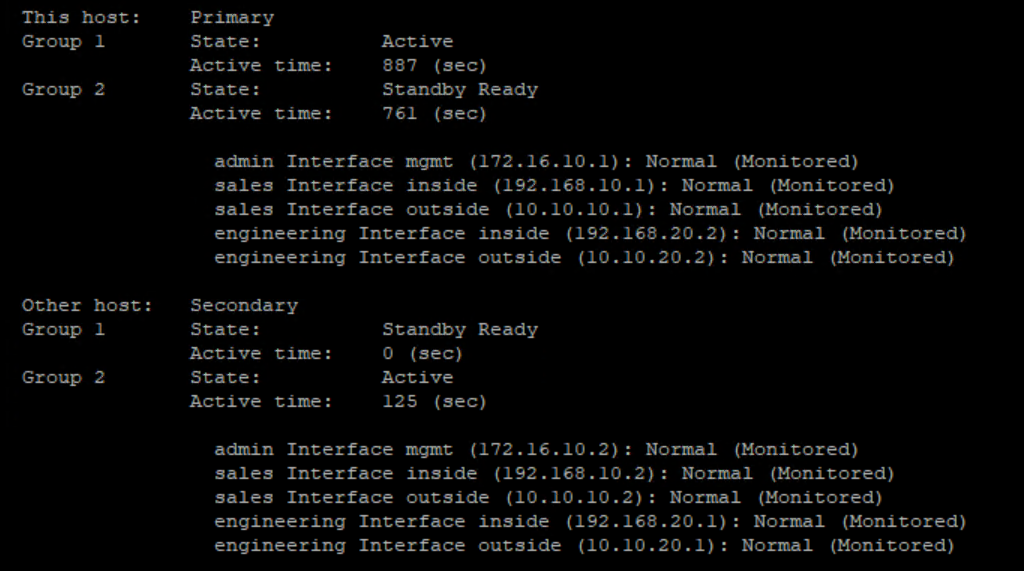
ASA2 Group 2 Active and ASA1 is Standby :
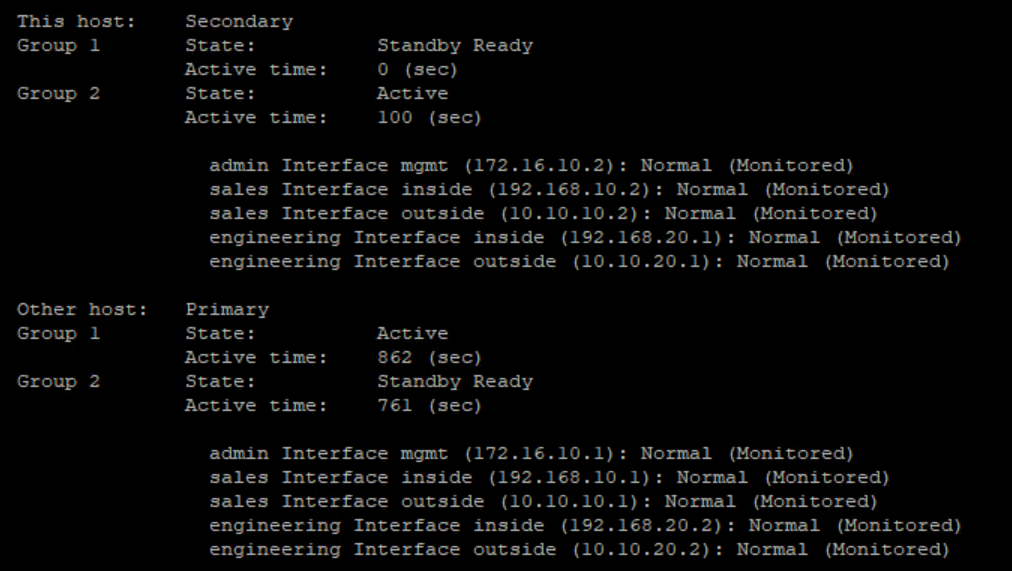
Verification of interfaces in each context of Sales and Engineering :


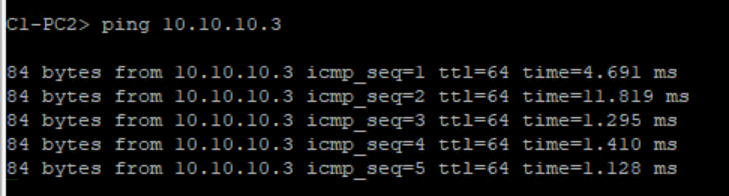
Configuring Sales PC’s inside and out outside and testing ping .
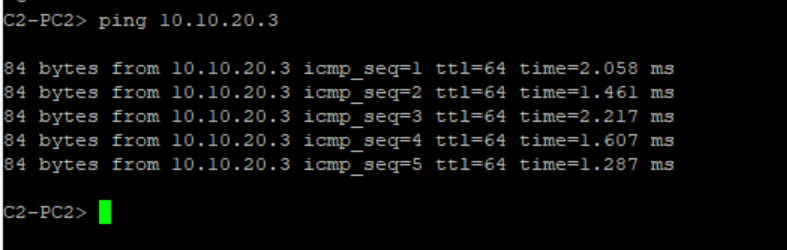
Configuring Engineering PC Inside and outside and testing ping.
Now we reload ASA2 and ASA1 become active for both the context’s
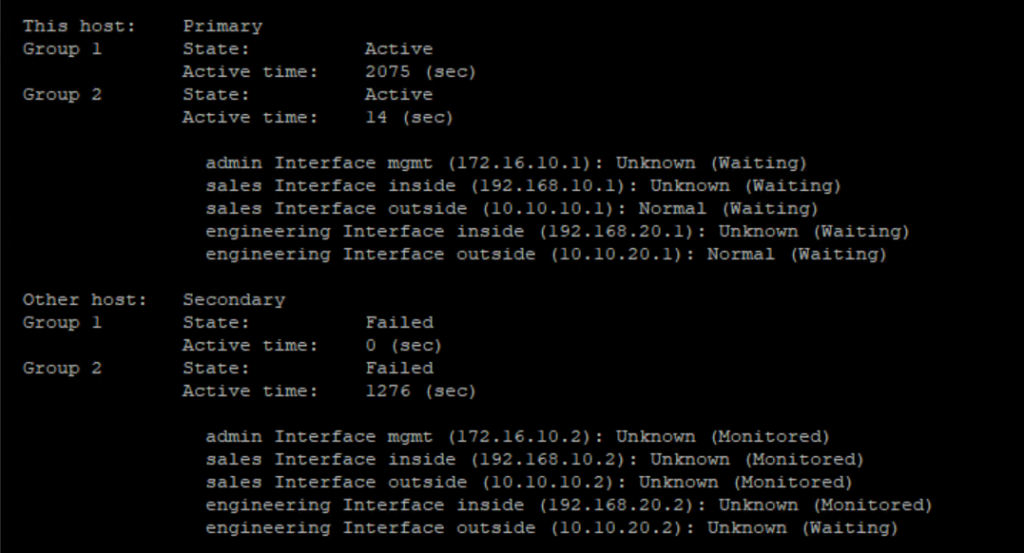
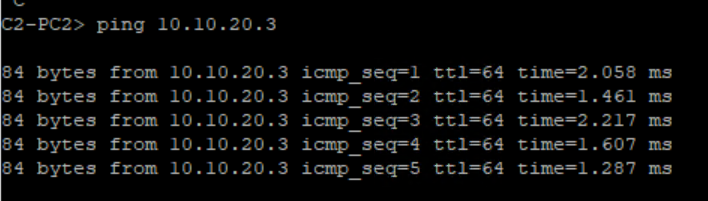
Ping still works as expected :
Happy Labinggggggggggggggggggggg!